
RunDeck
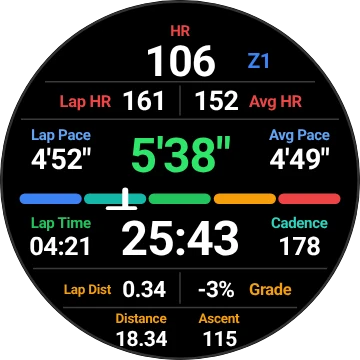
Runs: pace and power against your targets, HR zones, cadence, grade and ascent on one screen.
 BattDeck
Unlock ·
For Amazfit watches · Zepp OS
BattDeck logs your watch's battery in the background and shows where it went: the level over hours and weeks, drain per hour and per day, charges, workouts and an estimate of what used it — on the watch and in the Zepp app.
One-time purchase. No subscription, no account.
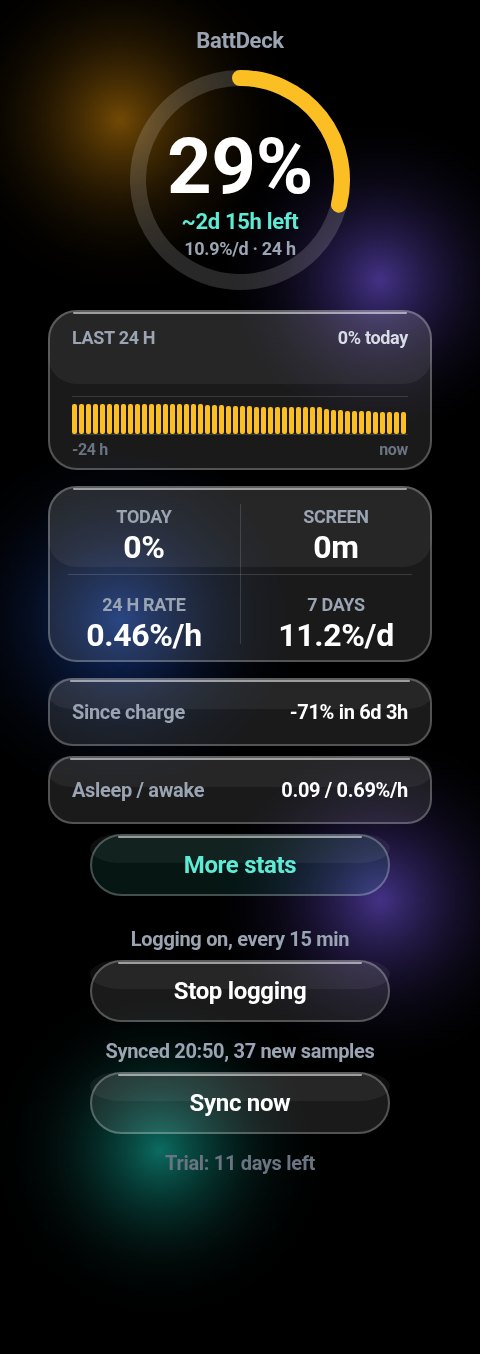
On the watch
The level at a glance, and a tap away the details: how fast it drains, on which days, and what used it. Scroll on and each screen scrolls with you.

01 · At a glance
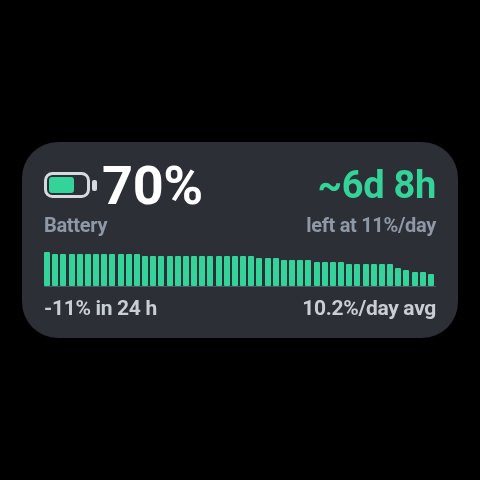
The level with its ring, the last 24 hours as bars, today's drop, screen time, the rate per hour and the 7-day average, and whether it's charging.
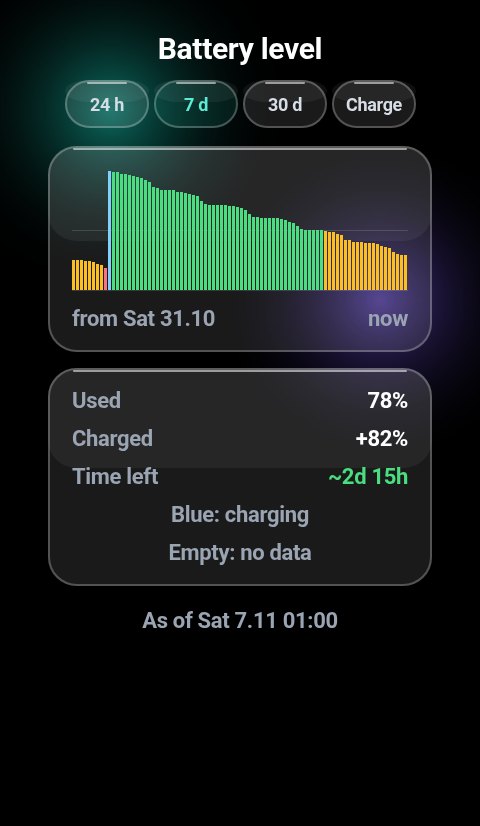
02 · Battery level
The level over 24 hours, 7 or 30 days, charges in blue, with what was used and charged in that time.
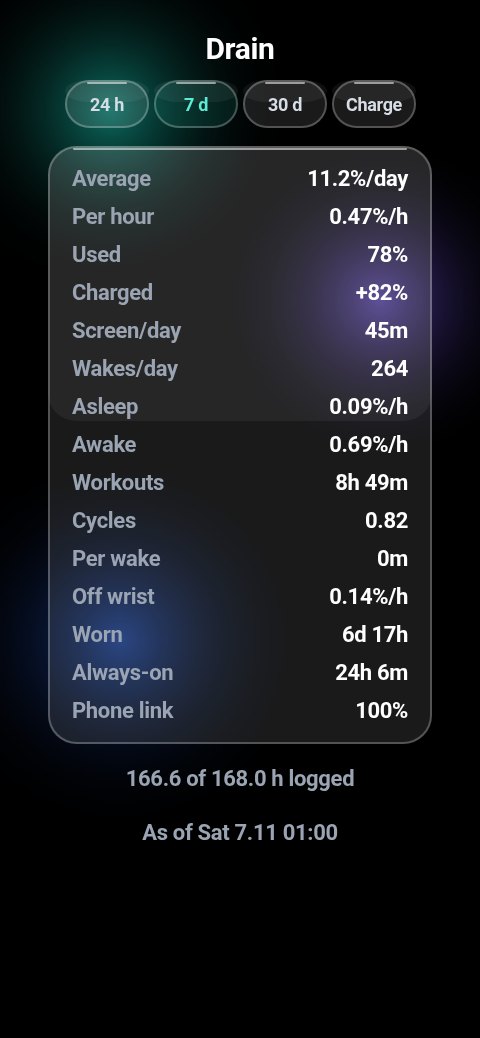
03 · Drain
Average per day and per hour, screen time and wakes per day, asleep and awake on the wrist, workouts and charge cycles.
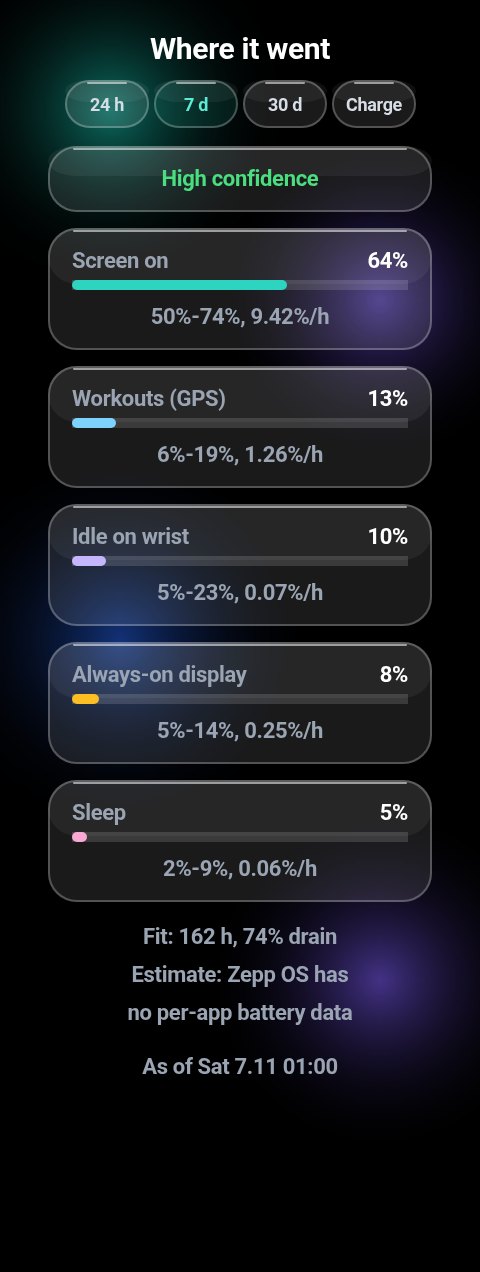
04 · Where it went
Screen on, idle on the wrist, workouts, always-on display and sleep, each with its share, its range and how sure the estimate is.
05 · Per day
Each day's drop and charges, screen time, wakes and workouts.
06 · By the watch face
A shortcut card next to the watch face: the level, the time left at today's rate and the last 24 hours.
Screens
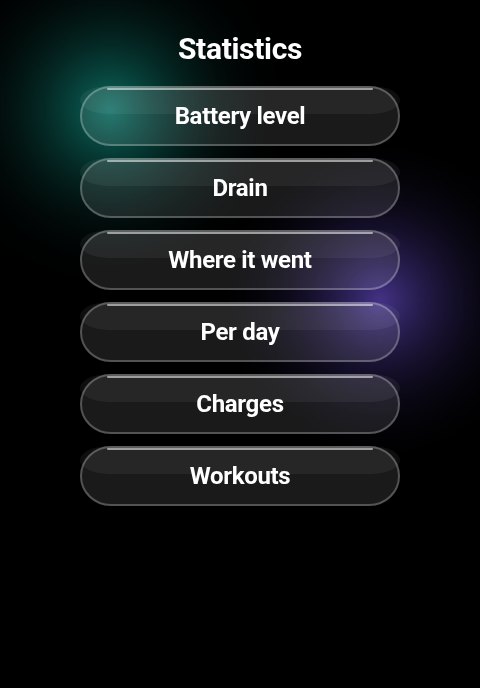
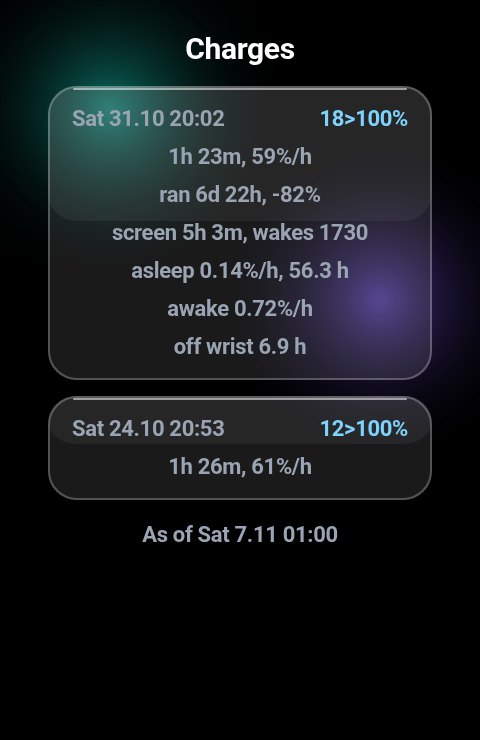
The real screens from BattDeck's simulator. Drag through them, tap one to see it whole.
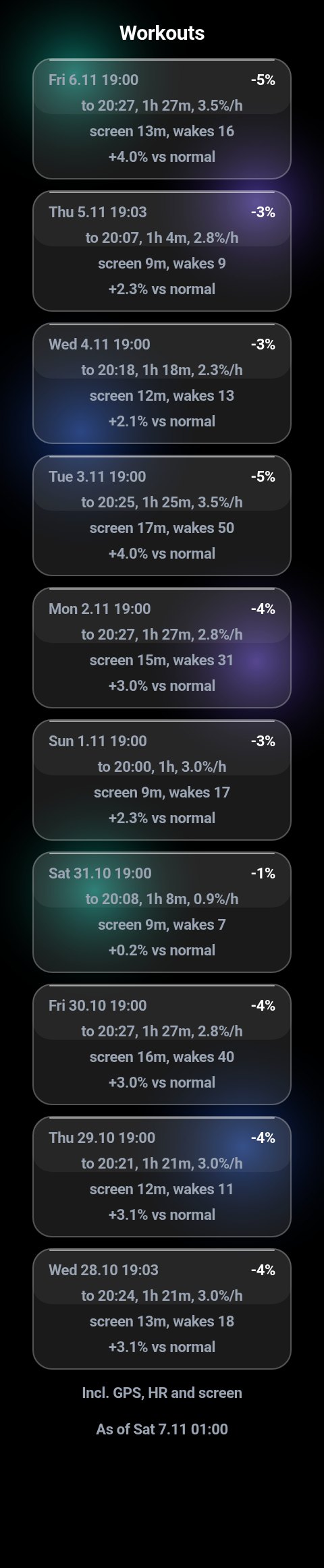
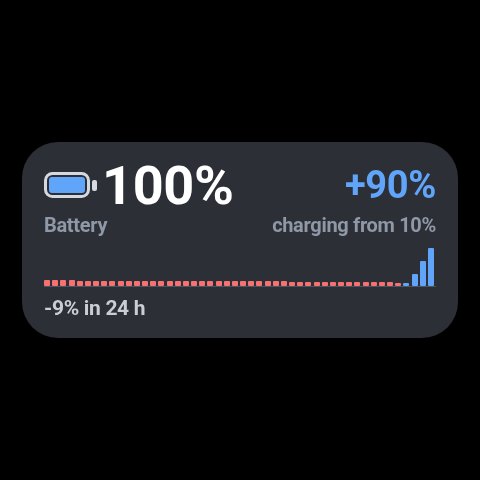
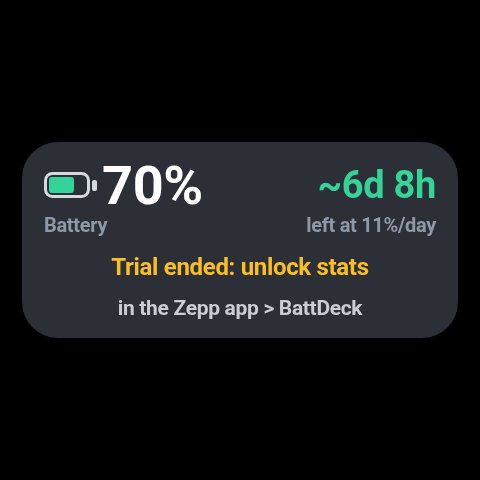
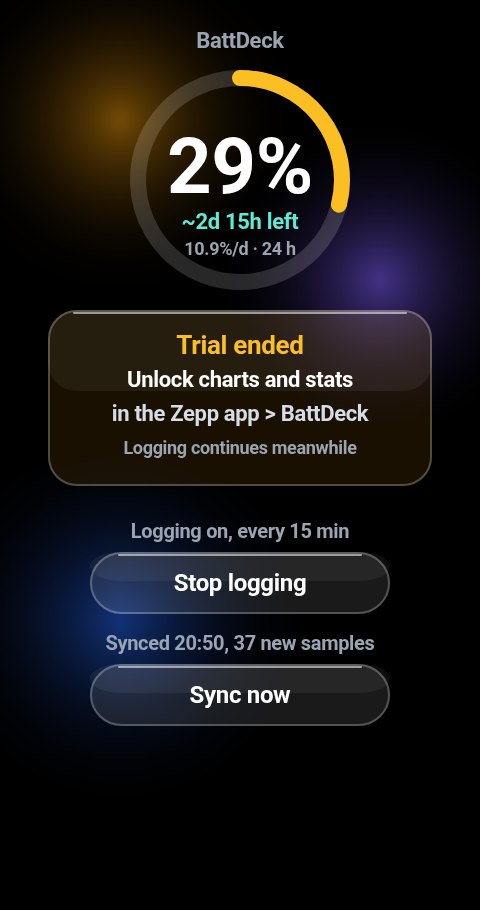
In the Zepp app
The BattDeck settings in the Zepp app: the same history with room for the details, light or dark.


Details
A small background service notes the level every 15 minutes, with screen time and sleep. The watch keeps 14 days; the phone keeps a month.
The watch doesn't say what used the battery. BattDeck works it out from when the level fell, and shows how sure it is.
An AMOLED screen spends power on lit pixels, so the watch app is mostly black glass with dim glows.
Every charge, from what to what, and what it has added so far.
Each workout with its length and the battery it used.
The level, the time left and the last 24 hours, one swipe from the watch face.
Glass panels in either theme, following your phone or your pick.
The battery log stays on your watch and phone. No account, no analytics.
What it tracks
Price
Free trial
Every chart and statistic for 14 days.
Unlock
Year-end sale −26 % · until 31 DecAfter the trial the watch keeps logging, and you keep the level and the time left. Unlocking shows everything again, the history logged in the meantime included.
Or save with the Ultimate Bundle (€20), a key for each app in it.
The Deck apps
The same one-screen idea for your other workouts and your watch's battery. Buy the one you need, or save with a bundle.
Runs: pace and power against your targets, HR zones, cadence, grade and ascent on one screen.

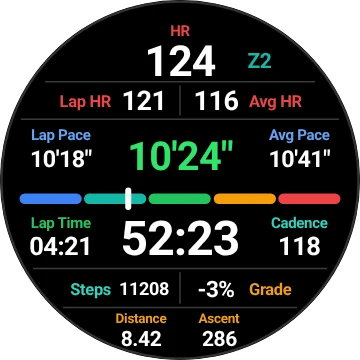
Walks and hikes: pace, steps and cadence, altitude, grade and ascent on one screen.

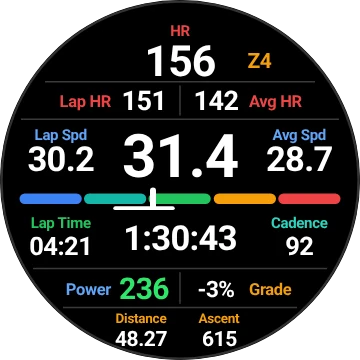
Rides: speed, power and cadence from your sensors, HR and power zones, grade and ascent on one screen.
Sport Bundle
Year-end sale −26 % · until 31 DecRunDeck, WalkDeck and BikeDeck: a license key for each, in one purchase. €3 less than one by one.
Ultimate Bundle
Year-end sale −26 % · until 31 Dec
RunDeck, WalkDeck, BikeDeck and BattDeck: a license key for each, in one purchase. €4 less than one by one.
Questions
Round Amazfit watches on Zepp OS with API level 4.0 or newer:
Balance: Balance 3, Balance 3 Ti, Balance Ultra, Balance 2, Balance 2 XT
Cheetah: Cheetah 2 Ultra, Cheetah 2 Pro
T-Rex: T-Rex 3, T-Rex 3 Pro, T-Rex Ultra 2, T-Rex Dual Solar
Active: Active 3 Premium, Active 2 (round), Active Max
Square ones aren't supported. It's developed and tested on the Cheetah 2 Ultra.
It's an estimate. The watch reports only the level, so BattDeck fits how fast it falls with the screen on, idle, in workouts, with always-on display and asleep. Each share comes with a range and a confidence; they get tighter as more days are logged.
It's kept small: a short wake-up to note the level, and writes only while the screen is off. You can stop logging on the watch at any time.
The watch keeps logging and you keep the level and the time left. Unlock and every chart comes back, with the history logged in the meantime.
No. The battery log stays on your watch and phone. The only thing sent online is your license key, to Polar, when you activate it.
14 days free. Then €6, once — or every Deck app in the Ultimate Bundle.