
RunDeck
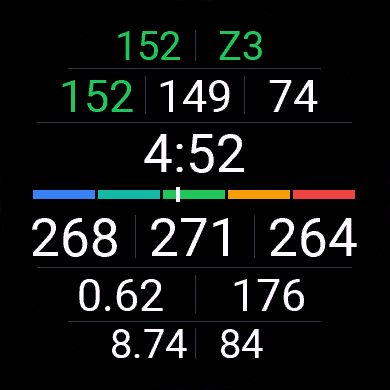
Runs: pace and power against your zones, a Stryd read over ANT+, cadence, grade and ascent on one screen.
 BikeDeck
Get it
For Garmin watches · Connect IQ
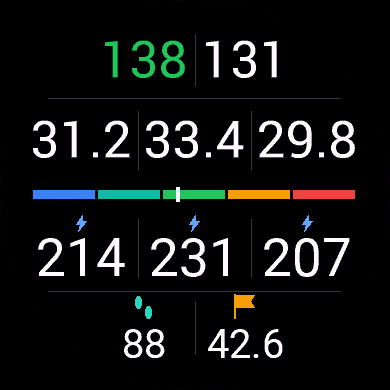
A dense data field for your Garmin ride: heart rate with its zone, power with its own zone bar (watch or ANT+ meter), speed, cadence, grade and ascent — on one screen you design yourself.
Try 5 rides free, then one purchase. One-time purchase. No subscription, no account.
The screen
Big numbers where your eyes land, the rest around them, and colour that tells you how it is going before you read a digit.
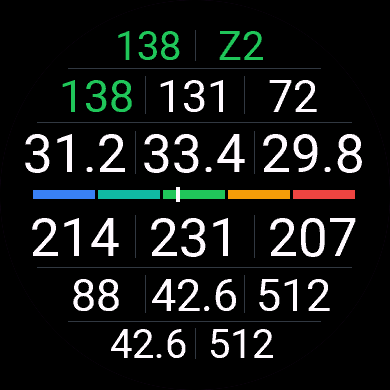
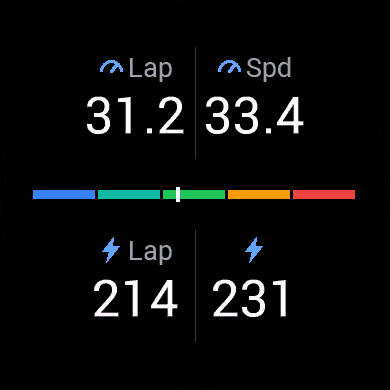
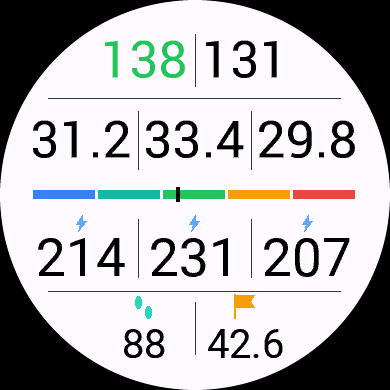
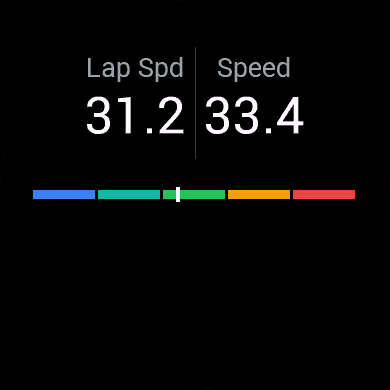
01 · The watch's own
Each number comes from your Garmin's own ride data — the same values the activity records — so it matches your activity file and keeps updating with the screen off.
02 · Zone bar
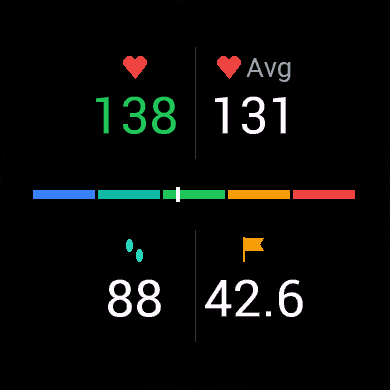
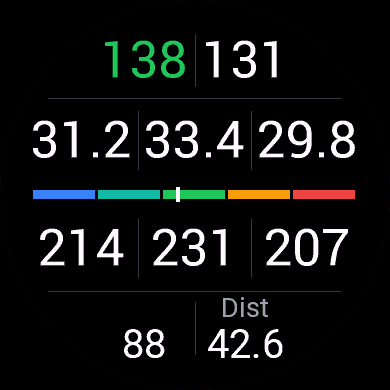
A five-zone bar on the centre line with a marker for the live value: heart-rate zones, or power zones where your watch provides them.
03 · Your layout
Any of 65 fields in any spot, one to three columns per row, names as short text, as icons or numbers only, and rows you can switch off to let the others grow.
04 · The look
Black is kindest to an AMOLED battery; white if you would rather. Automatic follows your watch's screen.
05 · On your wrist
Hold UP, Connect IQ Fields, BikeDeck: rows, columns and every single field, right on your wrist. Or do it all in Garmin Connect on the phone.
Screens
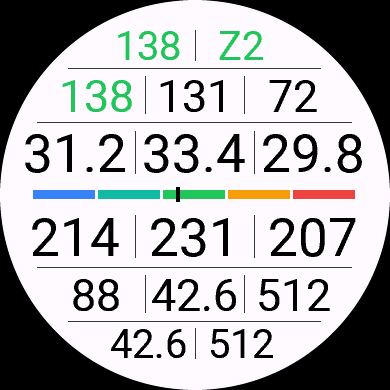
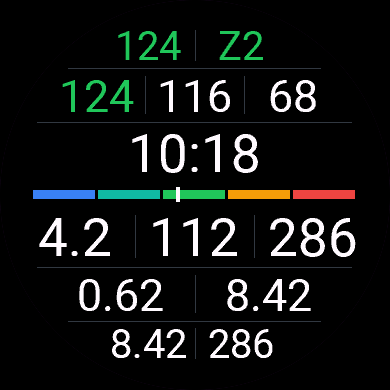
Screens from the app itself in Garmin's simulator, drawn on a vivoactive 5. Tap one to look closer.
Details
Heart rate, speed, power, laps, terrain, cadence, training effect and more.
Straight from your Garmin, so the screen agrees with the rest of your Garmin data.
BikeDeck reads a standard ANT+ power meter directly, with 3, 10 and 30 s averages, lap power, W/kg and a power zone bar.
Switch a row off and the others grow into its space.
Colour first, digits second: the zone bar and the lap tell you how it is going before you read a number.
Lap time, distance, heart rate and pace (or power) follow your Garmin's own laps and auto-lap.
Still a native Garmin activity: GPS, recording, sync to Garmin Connect and Strava as usual.
The field has no network access at all. The only online step is turning your licence key into a watch code.
65 fields to choose from
Price
Free trial
Every feature, on five rides of five minutes or more. Opening the screen or a short warm-up does not count.
Unlock
Year-end sale −26 % · until 31 DecKeep the full screen for good. After the trial BikeDeck still shows heart rate, speed, time and distance, so a ride is never left without data.
Enter the code in Garmin Connect: Devices, BikeDeck, Settings, License code. It is checked on the watch, offline.
The Deck apps
The same one-screen idea for your other activities. Wearing an Amazfit instead? RunDeck, WalkDeck, BikeDeck are on Zepp OS.
Runs: pace and power against your zones, a Stryd read over ANT+, cadence, grade and ascent on one screen.

Walks and hikes: pace, cadence, altitude, grade and ascent on one screen.
Questions
Garmin watches with a Connect IQ data field and at least 64 KB for it:
Venu: Venu X1, Venu Sq 2, Venu Sq 2 Music, Venu 3, Venu 3S, Venu 4 41mm, Venu 4 45mm, Venu 2, Venu 2S, Venu 2 Plus
vivoactive: vivoactive 5, vivoactive 6
epix: epix (Gen 2), epix Pro (Gen 2) 42mm, epix Pro (Gen 2) 47mm, epix Pro (Gen 2) 51mm
fenix: fenix 7, fenix 7S, fenix 7X, fenix 8 Pro 47mm, fenix 5 Plus, fenix 5S Plus, fenix 5X, fenix 5X Plus, fenix 6 Pro, fenix 6S Pro, fenix 6X Pro, fenix 7 Pro, fenix 7 Pro - Solar Edition (no Wi-Fi), fenix 7S Pro, fenix 7X Pro, fenix 7X Pro - Solar Edition (no Wi-Fi), fenix 8 43mm, fenix 8 47mm, fenix 8 Solar 47mm, fenix 8 Solar 51mm, fenix 9 43mm, fenix 9 47mm, fenix 9 Pro 43mm, fenix 9 Pro 47mm, fenix 9 Pro 51mm, fenix 9 Pro Solar 47mm, fenix 9 Pro Solar 51mm, fenix E
Instinct: Instinct 3 AMOLED 45mm, Instinct 3 AMOLED 50mm, Instinct Crossover AMOLED
MARQ: MARQ (Gen 2) Athlete, MARQ (Gen 2) Aviator, MARQ (Gen 3) Athlete, MARQ Adventurer, MARQ Athlete, MARQ Aviator, MARQ Captain, MARQ Commander, MARQ Driver, MARQ Expedition, MARQ Golfer
Approach: Approach S50, Approach S70 42mm, Approach S70 47mm, Approach S72 43mm, Approach S72 47mm
D2: D2 Air X10, D2 Delta, D2 Delta PX, D2 Delta S, D2 Mach 1, D2 Mach 2, D2 Mach 2 Pro
Descent: Descent G2, Descent Mk1, Descent Mk2, Descent Mk2 S, Descent Mk3 43mm, Descent Mk3i 51mm
Enduro: Enduro 3, Enduro 4
Forerunner: Forerunner 165, Forerunner 165 Music, Forerunner 170, Forerunner 170 Music, Forerunner 245 Music, Forerunner 255, Forerunner 255 Music, Forerunner 255s, Forerunner 255s Music, Forerunner 265, Forerunner 265s, Forerunner 570 42mm, Forerunner 570 47mm, Forerunner 645 Music, Forerunner 70, Forerunner 745, Forerunner 945, Forerunner 945 LTE, Forerunner 955, Forerunner 965, Forerunner 970
Watches with 32 KB for a data field (Forerunner 55, 245 and 935, the original Venu and Venu Sq, vívoactive 3 and 4, fenix 5 and 6 non-Pro, Instinct 2, Instinct E and Instinct 3 Solar) are not supported. Not available for Edge and GPSMAP.
No. You start the normal Garmin ride; BikeDeck is one of its data fields. Recording, GPS, laps, sync to Garmin Connect and Strava all stay native.
Install BikeDeck from Connect IQ on your phone (or Garmin Express). Then: ride, Settings, Data Screens, add a screen and a field, Connect IQ Fields, BikeDeck. For a full-screen layout use a one-field screen.
From the heart-rate (and power) zones already set on your Garmin — the same ones your watch shows. When a watch provides no power zones, the bar falls back to heart-rate zones so the marker is always there.
Yes, if your meter broadcasts the standard ANT+ bike power profile: BikeDeck reads it directly, so power (and its 3, 10 and 30 s averages, lap power, W/kg and power zone bar) works even where the watch does not pass power to data fields. Enter the meter's ANT ID in the settings to pick one in a group. Untested on a real bike meter so far.
The screen keeps heart rate, speed and time, and a note to unlock. Everything comes back as soon as you enter a code — even mid-activity.
No. The field has no network access and sends nothing. The only thing sent online, once, is your licence key, to Polar through the licence page, when you activate it.
Five rides free. Then €6, once — or the same app for your Amazfit watch.